A slow website loses visitors before they see a single word you wrote. One of the most common reasons pages load slowly is hidden in plain sight: page weight. The Page Size Checker by SpellMistake is a free tool that measures exactly how heavy a web page is, so you know what to fix before speed costs you traffic, rankings, and sales.
This guide explains what the tool does, how page size affects performance and SEO, how to interpret the numbers it returns, and how it compares with other well-known performance tools. Whether you run a personal blog or manage an enterprise site, you will leave with a clear method for keeping pages lean.
What Is the Page Size Checker by SpellMistake?
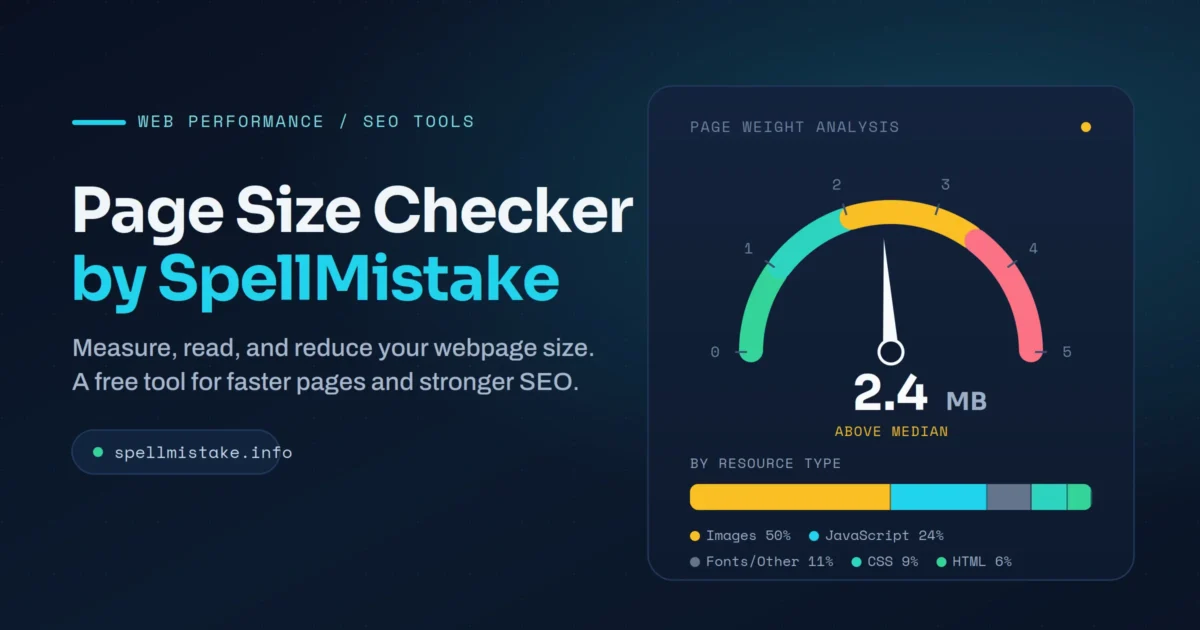
The Page Size Checker by SpellMistake is a free, web-based tool that measures the total size of any web page. You enter a URL, the tool analyzes the page, and it reports the combined weight of every resource the page loads, including HTML, CSS, JavaScript, images, fonts, and other media. The result appears in kilobytes (KB) or megabytes (MB) within seconds.
The tool requires no sign-up, no software installation, and no technical background. It runs in the browser and works for anyone who owns or studies a website: bloggers, developers, digital marketers, agency teams, and business owners.
A quick note on the name. Many people type “page size checker spellmistake” while searching for a standard page size checker, and the phrase often appears because of a misspelled or imprecise search. SpellMistake turned that search behavior into an actual product. The brand operates a suite of free web and SEO tools, and the page size checker sits alongside its better-known spelling and grammar checker. So the keyword points to two things at once: a typo pattern that sends people looking for a page weight tool, and a real tool that answers that need.
Core concepts to know
- Page size (page weight): the total amount of data a browser downloads to fully render a page.
- Resource: any file the page loads, such as an image, script, stylesheet, or font.
- Request: a single round trip a browser makes to fetch one resource. A page with 80 resources makes roughly 80 requests.
- Transfer size: the compressed size sent over the network, which is usually smaller than the raw file size on the server.
Related entities and tools in the same space
The page size checker belongs to a family of performance and SEO utilities that includes Google PageSpeed Insights, GTmetrix, Pingdom, WebPageTest, Lighthouse, and the HTTP Archive. It connects directly to concepts like Core Web Vitals, Largest Contentful Paint, load time, crawl budget, and image compression formats such as WebP and AVIF.
Why Page Size Matters
Page size is a small detail with outsized consequences. It shapes how fast your site feels, how well it ranks, and how much it costs your visitors to load.
User experience. Visitors are impatient. A large share of users abandon a page that takes more than three seconds to load, and heavier pages take longer to render. Every extra second raises bounce rates and lowers the odds that someone reads your content or completes a purchase.
Search rankings. Google treats page speed as a ranking factor and measures real-world performance through Core Web Vitals. Lighter pages tend to hit better Largest Contentful Paint times, which supports stronger visibility in search results. Heavy pages drag those scores down.
Bandwidth and cost. Large pages consume more data. For visitors on mobile networks or limited data plans, a bloated page burns through their allowance and their patience. For site owners with high traffic, every extra kilobyte multiplies across millions of visits into real bandwidth and server expense.
Crawl efficiency. Search engine crawlers and AI-driven crawlers work within computation budgets. Lighter, semantically clear pages are easier and cheaper to parse, which supports deeper and more frequent crawling. Heavy pages risk shallower indexing.
To put the stakes in context: according to the HTTP Archive 2025 Web Almanac, the median web page now weighs around 2,412 KB on desktop and 2,164 KB on mobile, and median weight keeps climbing year over year. Pages have grown heavier as sites add richer images, video, and JavaScript frameworks. Knowing where you sit against that median is the first step toward staying competitive.
How the Page Size Checker by SpellMistake Works
The tool follows a simple workflow, but the value lies in how you read and act on its output.
Step 1: Enter the URL
Open the Page Size Checker, paste the full URL of the page you want to analyze, and click the check or analyze button. There is nothing to configure.
Step 2: The tool fetches and measures the page
Behind the scenes, the tool requests the page the way a browser would, then adds up the weight of every resource that page loads. This includes the HTML document itself plus all linked files: stylesheets, scripts, images, fonts, and any third-party widgets or tracking code.
Step 3: Review the total and the breakdown
The headline number is the total page size in KB or MB. More useful than the total is the breakdown by resource type. A typical report separates weight into:
- Images (usually the single largest contributor)
- Stylesheets (CSS)
- Scripts (JavaScript)
- HTML documents
- Fonts and other resources
This breakdown tells you immediately where the bloat lives. An online store product page might be 80 percent images. A content blog loaded with ad scripts and widgets might carry more JavaScript. Knowing your own mix points you straight to the fix.
Step 4: Check the number of requests
Many page size tools also report how many requests the page makes. Each request is a separate connection to a server or external service. A page might have a modest total size yet still feel slow because it makes too many requests, each one adding network overhead and latency. Reducing request count is a distinct lever from reducing total bytes.
Step 5: Optimize and re-test
After you compress images, minify code, or remove unused scripts, run the tool again. Comparing before and after numbers turns optimization from guesswork into measurement.
What the tool needs and where it stops
The checker needs a publicly accessible URL. It works best on pages that do not sit behind a login. It measures what the page loads, not why a specific resource is heavy, and it does not execute deep diagnostics like a full waterfall trace or a synthetic mobile-network simulation. Treat it as a fast diagnostic, not a complete performance lab.
Related Concepts and How They Compare
Page size sits inside a larger performance picture. Understanding the neighbors prevents you from chasing the wrong metric.
Page size versus load time
Page size and load time correlate, but they are not the same. Load time depends on size plus server response speed, network conditions, caching, and how resources are ordered. A 2 MB page on a fast server with good caching might load faster than a 1 MB page with a slow backend. Use page size as a leading indicator and load time as the outcome.
Page size versus Core Web Vitals
Core Web Vitals measure user-perceived experience through three metrics: Largest Contentful Paint (loading), Interaction to Next Paint (responsiveness), and Cumulative Layout Shift (visual stability). Page weight most directly influences Largest Contentful Paint and overall load. Trimming heavy images and render-blocking scripts often improves both your page size and your vitals at the same time.
Page size versus page count and crawl budget
Page size is per-page weight. Crawl budget is how many pages a search engine will fetch from your site in a given window. On large sites, heavier pages spend crawl budget faster, so reducing weight helps search engines reach more of your content.
How the SpellMistake checker compares with other tools
Different tools serve different depths of need. The table below maps where each fits.
| Tool | Best for | Depth | Account needed | Notable strength |
|---|---|---|---|---|
| Page Size Checker by SpellMistake | Fast page weight reading | Light | No | Instant total and resource breakdown, beginner friendly |
| Google PageSpeed Insights | Core Web Vitals and field data | Deep | No | Real-user data plus lab scores and fix suggestions |
| GTmetrix | Detailed waterfall analysis | Deep | Optional | Resource-level waterfall and historical tracking |
| Pingdom | Uptime plus speed monitoring | Medium | Yes | Ongoing monitoring and alerts |
| WebPageTest | Engineer-grade diagnostics | Deepest | No | Filmstrip, multi-location, advanced configuration |
The honest takeaway: the SpellMistake checker is the right first tool, not the only tool. Use it to get a quick weight reading and breakdown, then move to PageSpeed Insights or WebPageTest when you need root-cause detail.
Benefits of Using a Page Size Checker
A page size checker delivers practical gains that compound across a site.
- Speed insight in seconds. You get a clear weight figure without installing anything or reading documentation.
- Targeted optimization. The resource breakdown shows whether images, scripts, or fonts deserve your attention first, so you spend effort where it pays off.
- SEO support. Lighter pages support faster load times, stronger Core Web Vitals, and better crawl efficiency, all of which feed search visibility.
- Better mobile and low-bandwidth experience. Trimming weight helps users on slower connections and limited data plans reach your content.
- Measurable progress. Re-testing after changes proves whether an optimization worked, which keeps your team accountable to numbers rather than opinions.
- Zero cost and low friction. A free, sign-up-free tool lowers the barrier for non-technical owners to monitor performance regularly.
Trade-Offs and Limitations
A balanced view keeps expectations realistic. A lightweight page size checker has clear boundaries.
- It measures weight, not full performance. Total size is one input among many. Server speed, render order, and third-party latency all shape the experience, and a size-only reading will miss them.
- It will not diagnose root causes. The tool tells you images are heavy, not which specific image to convert to WebP or which script blocks rendering. Deeper tools handle that.
- Results vary by measurement method. Compressed transfer size differs from raw file size. Numbers from different tools will not always match, so compare a page against itself over time rather than against a different tool’s reading.
- Dynamic and personalized pages are hard to measure cleanly. Pages that load different content per user, run heavy client-side rendering, or sit behind authentication will not always return a stable figure.
- A low number is not automatically good. A tiny page that strips out useful content or images hurts user value. The goal is the right weight for the job, not the smallest possible weight.
When is a page size checker not the right tool? When you already know your weight and need to find the exact render-blocking resource, when you need real-user field data, or when you need continuous monitoring with alerts. In those cases, reach for waterfall and field-data tools instead.
Use Cases and Examples
Page weight monitoring fits many roles and business sizes. Here is how different teams put it to work.
Bloggers and content creators. A writer publishes a long article with ten high-resolution images and notices slow loads. A quick check shows images account for most of the page weight. Compressing them and switching to WebP cuts the page from heavy to lean, and the post loads fast on mobile.
Small business owners. A local bakery runs a one-page site with a large hero video and several photos. The owner, with no technical background, checks the page, sees a multi-megabyte total, and replaces the autoplay video with a compressed image. The site loads quickly for customers searching on their phones.
E-commerce teams. An online store audits product pages and finds them dominated by uncompressed product photography and third-party review widgets. The team sets a weight budget per template and uses the checker during QA to keep new pages within it, protecting conversion rates.
Agencies and SEO consultants. A consultant runs the checker across a client’s top landing pages during an audit, documents which pages exceed the median, and prioritizes the heaviest, highest-traffic pages for optimization. The before-and-after numbers become a clear deliverable for the client.
Developers and QA. An engineering team adds a page weight check to its pre-launch checklist. A new marketing page that imports an unused animation library shows an unexpected JavaScript spike, and the team removes the dependency before the page ships.
Enterprise content teams. On a site with thousands of pages, even small per-page savings multiply into meaningful bandwidth and crawl efficiency gains, so weight monitoring becomes a standing governance practice rather than a one-time fix.
Best Practices for Managing Page Size
Checking weight is step one. Acting on it is where results come from. These practices reduce page size without sacrificing quality.
- Compress and convert images. Images are the largest contributor on most pages. Compress them and adopt modern formats. WebP files run roughly 25 to 34 percent smaller than equivalent JPEGs, and AVIF files run around 50 percent smaller at similar quality. This single step often produces the biggest win.
- Minify CSS and JavaScript. Remove whitespace and dead code, then combine files where it reduces requests. Smaller, fewer code files mean faster downloads and parsing.
- Enable text compression. Turn on GZIP or Brotli on the server so HTML, CSS, and JavaScript transfer in a compressed form. This shrinks transfer size dramatically with no visible change to users.
- Use browser caching and a CDN. Caching lets returning visitors skip re-downloading unchanged files, and a content delivery network serves resources from a location near the user, cutting both latency and origin load.
- Lazy-load below-the-fold media. Defer loading of images and videos until a user scrolls toward them, so the initial page weight stays light.
- Audit third-party scripts. Analytics, ads, chat widgets, and trackers add weight and requests you do not always control. Remove what you do not use and load the rest asynchronously.
- Set a page weight budget. Decide a maximum size per template and test against it before publishing. A budget turns performance from an afterthought into a standard.
- Re-test after every change. Measure before and after so you keep what works and roll back what does not.
Reasonable weight targets
Targets depend on page type, but these guidelines give a starting point. Many performance practitioners aim to keep total page weight under about 1 MB on mobile and under roughly 3 MB on desktop, with lighter being better for content pages. For reference, the table below shows where real pages sit according to HTTP Archive 2025 data.
| Benchmark (HTTP Archive 2025) | Desktop | Mobile |
|---|---|---|
| Median (50th percentile) | ~2,412 KB | ~2,164 KB |
| 75th percentile | ~4,570 KB | ~4,119 KB |
| 90th percentile | ~9,179 KB | ~8,337 KB |
If your page weighs more than the median, you carry above-average weight and have room to trim. Images typically make up 36 to 37 percent of total weight, so they are the obvious place to start.
Common Mistakes and How to Avoid Them
Most page weight problems come from a handful of repeatable errors.
Uploading full-resolution images. Owners often upload a 4,000-pixel photo and let the browser scale it down visually while still downloading the full file. The page balloons in size. Resize images to the dimensions they display at, then compress them.
Ignoring JavaScript bloat. Teams add libraries and widgets for one small feature and never remove them. JavaScript is heavy to download, parse, and run, and in 2024 it overtook images as the most requested resource type by file count. Audit dependencies and remove what is unused.
Measuring once and stopping. A page passes a check at launch, then accumulates weight as new content, plugins, and trackers pile on. Without periodic re-testing, the page drifts back into bloat. Schedule recurring checks.
Chasing the total and ignoring requests. A page might have a small byte total yet make a hundred requests, which slows it through connection overhead. Watch request count alongside total weight.
Treating the smallest size as the goal. Stripping useful images or content to win a number hurts the visitor. Aim for the right weight for the page’s purpose, not the absolute minimum.
Forgetting mobile. Desktop figures look fine while mobile users on slower networks struggle. Always weigh the experience against mobile constraints, since mobile is where most traffic and most ranking pressure now live.
How to Evaluate or Choose a Page Size Checker
Not every tool fits every need. Use this framework to pick the right one.
Evaluation criteria:
- Speed and simplicity. Does it return a result quickly without forcing setup? For a first read, friction is the enemy.
- Resource breakdown. Does it show weight by type, or only a single total? Breakdowns make the data actionable.
- Request count reporting. Does it surface the number of requests, not only bytes?
- Cost and access. Is it free, and does it avoid mandatory sign-up for basic use?
- Accuracy and consistency. Does it return stable numbers you trust enough to compare over time?
- Fit with deeper tools. Does it complement, rather than duplicate, the diagnostic tools you already run?
Red flags to avoid:
- Tools that demand payment or registration before showing a basic reading.
- Tools that report only a single number with no breakdown, leaving you no path to action.
- Tools that bury results under heavy ads or that load slowly themselves.
- Any tool promising guaranteed ranking jumps from page size alone, since speed is one factor among many.
A sensible selection process: start with a fast, free checker like the Page Size Checker by SpellMistake to get your weight and breakdown. When you need root-cause detail, layer in Google PageSpeed Insights for field data and Core Web Vitals, and a waterfall tool such as GTmetrix or WebPageTest for resource-level analysis. The free checker handles routine monitoring; the heavier tools handle deep dives.
Frequently Asked Questions
What is a good page size for a website? A widely used guideline is to keep total page weight under about 1 MB on mobile and under roughly 3 MB on desktop, with content pages ideally lighter. Since the median page sits above 2 MB, anything well under the median is a healthy target.
Is the Page Size Checker by SpellMistake free? Yes. It is a free, browser-based tool that needs no sign-up or software. You enter a URL and receive the total page size and resource breakdown within seconds.
Why does “page size checker spellmistake” appear as a search term? The phrase often comes from a misspelled or imprecise search by people looking for a page size checker. SpellMistake, a platform of free web and SEO tools, built an actual page size checker that answers that search, so the keyword now points to both the typo pattern and a real tool.
Does page size affect SEO? Yes, indirectly and directly. Heavy pages load slower, which weakens Core Web Vitals and user experience, both of which influence Google rankings. Lighter pages also support more efficient crawling. Page speed is a confirmed ranking factor.
What is the difference between page size and load time? Page size is the total weight of all resources a page loads. Load time is how long the page takes to become usable, which depends on size plus server speed, caching, network conditions, and resource order. Size influences load time but does not fully determine it.
What usually makes a page too large? Uncompressed or oversized images are the most common cause, followed by excessive JavaScript and too many third-party scripts. Images alone account for over a third of total weight on a typical page.
How often should I check my page size? Run a check whenever you publish or significantly update a page, and schedule periodic audits of your highest-traffic pages. Pages accumulate weight over time as content and scripts are added, so one-time checks are not enough.
Does a page size checker reduce my page size automatically? No. The checker measures and reports weight. Reducing size requires action on your end: compressing images, minifying code, enabling compression and caching, and removing unused scripts.
Expert Insights
A few observations separate routine page weight management from a strategic practice.
Weight is a budget, not a one-time number. The strongest teams set a page weight budget per template and enforce it during quality assurance, the same way they manage a financial budget. This prevents the slow creep that turns a fast page into a heavy one over months of additions.
Requests often matter more than people think. Two pages of equal weight will perform differently if one makes thirty requests and the other makes a hundred. On modern protocols the penalty per request has fallen, but third-party connections still add latency that raw byte totals hide. Watch both numbers.
JavaScript deserves special scrutiny. A 50 KB image is downloaded and shown. A 50 KB script is downloaded, parsed, compiled, and executed, which loads the device’s processor and delays interactivity far more than its byte count suggests. As JavaScript has become the most requested resource type, controlling it is now central to performance work.
Lighter pages favor the AI-driven web. As AI crawlers summarize and extract entities from pages within strict computation budgets, lighter and semantically clear pages are cheaper to parse and more likely to be crawled deeply. Trimming weight is no longer only about human visitors. It also supports visibility in AI-powered search and answer engines.
Pair speed work with content accuracy. SpellMistake bundles its page size checker with a spelling and grammar checker for a reason. A fast page riddled with errors still erodes trust, and a flawless page that loads slowly never gets read. Treat technical performance and content quality as two halves of the same credibility goal.
Also Read: Sitemap Generator by Spellmistake.
Key Takeaways
- The Page Size Checker by SpellMistake is a free, no-sign-up tool that measures total web page weight and breaks it down by resource type, with the result in KB or MB within seconds.
- The keyword “page size checker spellmistake” often stems from a misspelled search, and SpellMistake built a real tool that serves that intent as part of a wider suite of free web tools.
- Page size shapes load speed, Core Web Vitals, SEO rankings, bandwidth cost, and crawl efficiency, so monitoring it is a smart, low-effort habit.
- The median page now exceeds 2 MB on both desktop and mobile, so use that benchmark to judge whether your pages carry above-average weight.
- Images are the largest contributor on most pages, which makes compression and modern formats like WebP and AVIF the highest-leverage fix.
- Treat the SpellMistake checker as your fast first read, then layer in PageSpeed Insights and waterfall tools like GTmetrix or WebPageTest for root-cause detail.
- Set a weight budget, watch request count alongside total bytes, scrutinize JavaScript, and re-test after every change to keep pages lean over time.