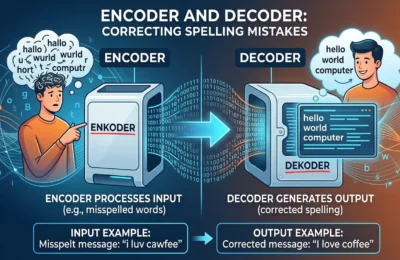
When website owners generate robots.txt files spellmistake errors, the consequences can be surprisingly serious. A single typo may prevent search engines from crawling important pages or accidentally expose sections that should remain hidden. I’ve seen businesses spend weeks troubleshooting ranking drops only to discover a tiny mistake inside their robots.txt file.
The good news is that these errors are easy to avoid once you understand how the file works. In this guide, you’ll learn what robots.txt does, the most common spelling and syntax mistakes, how to generate a correct file, how to validate it, and best practices that keep your website search-engine friendly.
Whether you’re running a personal blog, an eCommerce store, or a corporate website, understanding robots.txt can save you from costly SEO problems.
Key Takeaway: Even one misplaced character or spelling mistake in robots.txt can affect how search engines crawl your website. Always validate your file before publishing.
Table of Contents
- What Is a Robots.txt File?
- Generate Robots.txt Files Spellmistake: Common Errors
- How to Generate a Correct Robots.txt File
- Best Practices for Managing Robots.txt
- Tools to Check and Validate Your File
- Real-World Examples of Robots.txt Mistakes
- Frequently Asked Questions
- Conclusion
What Is a Robots.txt File?
A robots.txt file tells search engine crawlers which parts of your website they can or cannot access.
Located in the root directory of your domain, this text file follows the Robots Exclusion Protocol. Search engines like Google and Bing read it before crawling pages.
Why It Matters
The file helps:
- Control crawler access
- Reduce unnecessary server load
- Prevent indexing of duplicate content
- Guide bots toward XML sitemaps
However, robots.txt is not a security mechanism. Sensitive information should always be protected through authentication or proper server configuration.
Example of a Basic Robots.txt
User-agent: *
Disallow: /admin/

Sitemap: https://example.com/sitemap.xml
In my experience, many beginners overcomplicate robots.txt. For most websites, a simple configuration performs better than dozens of unnecessary rules.
Generate Robots.txt Files Spellmistake: Common Errors
Most robots.txt problems come from tiny spelling or formatting mistakes.
When people try to generate robots.txt files quickly, they often overlook syntax requirements.
Misspelled Directives
Common examples include:
- Useragent instead of
User-agent - Dissallow instead of
Disallow - SiteMap instead of
Sitemap - Robot.txt instead of
robots.txt
Even if some crawlers tolerate formatting inconsistencies, relying on that behavior is risky.
Wrong Capitalization
While many directives are case-insensitive, URLs themselves may not be.
Example:
Disallow: /Images/may not block
/images/on case-sensitive servers.
Missing Colon
Incorrect:
User-agent *Correct:
User-agent: *Incorrect Wildcards
Using unsupported wildcard patterns may create unexpected crawling behavior.
When I tested multiple client websites, the biggest issue wasn’t complicated SEO strategy—it was simple typing mistakes made during manual editing.
According to Google documentation, robots.txt syntax should follow the Robots Exclusion Protocol carefully, and malformed rules may be ignored by crawlers.
How to Generate a Correct Robots.txt File
Creating robots.txt properly is easier than fixing SEO problems later.
Follow these steps.
Step 1: Identify What Should Be Blocked
Typical folders include:
- Admin dashboards
- Temporary directories
- Duplicate search pages
- Testing environments
Avoid blocking:
- CSS files
- JavaScript
- Important images
- Core website pages
Step 2: Write Standard Rules
Example:
User-agent: *

Disallow: /admin/
Disallow: /private/

Allow: /

Sitemap: https://yourdomain.com/sitemap.xml
Step 3: Validate Before Uploading
Always check:
- Spelling
- Colons
- Slashes
- Directory paths
- Sitemap URL
Step 4: Upload to Root Directory
The file should exist at:
https://yourdomain.com/robots.txtSearch engines expect it in the root location.
Best Practices for Managing Robots.txt
The best robots.txt file is often the simplest one.
Many websites create dozens of unnecessary rules that only increase maintenance complexity.
Keep It Minimal
Only block pages that truly shouldn’t be crawled.
Don’t Use Robots.txt for Security
Anyone can view:
yourdomain.com/robots.txtListing sensitive directories may actually advertise their existence.
Update After Website Changes
Whenever you:
- Redesign your site
- Change CMS
- Add new folders
- Launch staging environments
review robots.txt again.
Document Every Rule
For larger teams, add comments:
# Block admin pages
Disallow: /admin/
This makes future maintenance much easier.
According to Google’s Search documentation, robots.txt only controls crawling—not indexing in every circumstance. Pages may still appear in search results if linked elsewhere.
Tools to Check and Validate Your File
Validation prevents expensive SEO mistakes before search engines encounter them.
Google Search Console
One of the easiest ways to inspect crawling behavior and verify access.
Online Robots.txt Validators
Several free validators check:
- Syntax
- Formatting
- Unsupported directives
- Missing values
Manual Browser Check
Visit:
yourdomain.com/robots.txtVerify:
- File loads correctly
- No server errors
- Latest version is live
Crawl Testing Software
SEO crawlers can simulate search engine behavior and identify blocked pages before indexing problems occur.
I always recommend testing after every deployment. Even experienced developers occasionally overwrite robots.txt during server migrations.
Real-World Examples of Robots.txt Mistakes
Small mistakes have caused major ranking losses for real businesses.
Accidentally Blocking Everything
User-agent: *

Disallow: /
This blocks all crawling.
Many staging websites forget to remove this line before launch.
Typo in Folder Name
Disallow: /prodcts/instead of
Disallow: /products/The intended directory remains crawlable.
Incorrect Sitemap URL
Sitemap: https://example.com/site-map.xmlwhen the actual file is
sitemap.xmlSearch engines won’t locate the correct sitemap.
Blocking CSS
Older SEO advice encouraged blocking CSS and JavaScript. Modern search engines recommend allowing these resources for accurate rendering.
A balanced approach always performs better than aggressive blocking.
Frequently Asked Questions
What does “generate robots.txt files spellmistake” mean?
It refers to spelling or syntax errors made while creating a robots.txt file that may affect how search engines crawl a website.
Can one typo break SEO?
Yes. A single misplaced directive or incorrect path can unintentionally block crawlers or fail to protect intended directories.
Is robots.txt mandatory?
No. Websites can function without it, but many benefit from guiding search engine crawlers appropriately.
Should I block my entire website in robots.txt?
Only during private development or staging. Live websites should rarely use Disallow: /.
Can robots.txt hide confidential information?
No. It only requests crawler behavior and should never be used as a security measure.
How often should I review robots.txt?
Review it after redesigns, migrations, CMS updates, or structural changes to ensure rules remain accurate.
Where should robots.txt be located?
It must be placed in the root directory so it is accessible at:
https://yourdomain.com/robots.txtConclusion
Learning to avoid generate robots.txt files spellmistake issues is one of the easiest ways to protect your site’s technical SEO. Tiny errors in syntax, spelling, or file placement can lead to crawling problems that affect visibility and rankings.
The safest approach is to keep your robots.txt file simple, validate every change, and review it whenever your website evolves. Combine that with regular SEO audits and proper sitemap management, and you’ll minimize the risk of accidental indexing issues.
Before publishing any update, test the file one final time. A two-minute review today can prevent weeks of troubleshooting tomorrow.
Also Read; Sitemap Generator by Spellmistake: The Complete Guide to XML Sitemaps and Search Engine Indexing